
AI Content Creation Workflow for Small Business: You Have 12 Tabs Open and No Content Plan. Now What?
You have a blog post half-written in one tab. Canva open in another. A ChatGPT window with a prompt you copied from someone’s Instagram carousel three weeks ago. A YouTube video about content batching paused at the 4-minute mark. And somewhere in the middle of all of it, the actual question: how do I create a content plan using AI tools?
The answer is not another tab.
How do I create a content plan using AI tools? By closing most of those tabs and building one AI content creation workflow for small business that takes your raw thinking and turns it into finished content. Not a content calendar template. Not a 47-step Notion dashboard. A single repeatable process that starts with what you already know and ends with something published.
72% of small businesses now use AI, according to the US Chamber of Commerce’s 2024 technology report. But “using AI” and “using AI systematically” are two very different things. Most solopreneurs are copying and pasting into ChatGPT when they feel stuck, which is the content equivalent of opening the fridge and hoping dinner assembles itself.
This post is the actual plan. One workflow. One direction. No new tools required.
Why Most Solopreneurs Are Only Using 5% of AI
That 72% number from the US Chamber sounds encouraging until you look closer. The majority of small business owners using AI are doing exactly one thing with it: generating text on demand. Need a caption? Ask ChatGPT. Need an email subject line? Ask ChatGPT. Need a bio? Ask ChatGPT. Every interaction starts from zero.
This is reactive AI use. It works the way a calculator works. You punch in a problem, you get an answer, and nothing about that interaction makes the next one faster or better. There is no system underneath it. No memory. No strategy. Just a series of one-off requests.
In fact, the 5% number is not hyperbole. Most AI tools available right now can do voice matching, content repurposing, multi-format output, audience-specific adjustments, and workflow automation. The average solopreneur is using exactly one of those features: “write me a thing.” That is like buying a kitchen and only using the microwave.
(To be fair, microwaves are underrated. But you take the point.)
However, the gap between reactive and systematic AI use is not about skill or intelligence. It is about approach. Reactive users open AI when they are already behind. Systematic users open AI at the beginning of their process, before the panic sets in, and feed it raw material that makes every output better than the last.
A 2024 McKinsey report on AI adoption found that businesses using AI within a defined workflow saw 3x the productivity gain compared to those using it ad hoc. Same tools. Same capabilities. Completely different results based on whether there was a system or just a search bar.
If you are wondering how to start using AI for content, the answer is not learning more features. It is building one workflow and using it until it becomes automatic.

The One Workflow That Changes Everything
Instead, forget the tools for a minute. Before you open any AI software, you need to answer one question: what do you sound like?
This is the step almost everyone skips. They go straight to “generate a blog post about X” and then spend 45 minutes editing out the generic tone, the corporate phrasing, the weird inspirational endings that sound like a LinkedIn influencer from 2019. The editing takes longer than writing it from scratch would have. And the result still sounds like it was assembled by committee.
Voice first. Everything else second.
The Four-Step Voice-First Workflow
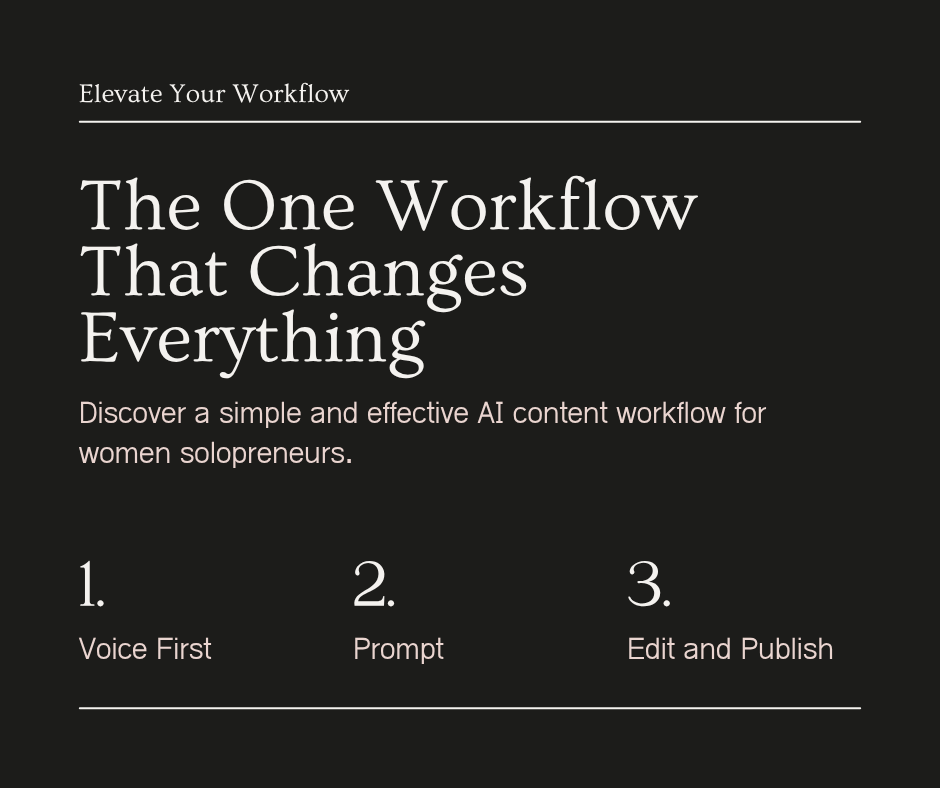
Here is the AI content creation workflow for small business that actually works, from concept to publish.
Document your voice. Record yourself answering three questions your audience asks you. Talk like you are explaining it to a friend. Transcribe those recordings. That transcript is your voice sample, and it is worth more than any prompt template you will find online.
Build one prompt around that voice. Feed your transcription to your AI tool and say: “Analyze the tone, sentence length, vocabulary, and phrasing patterns in this text. Use this as a reference for everything you write for me.” Now every output starts from your voice instead of from AI’s default.
Pick one content format. Blog post, email, or social caption. Not all three. One. Build a single repeatable prompt for that format. Use it every week. Refine it when something sounds off. Stop refining when it consistently produces drafts you can edit in ten minutes or less.
Run the workflow once a week. Same day. Same process. Voice memo in, finished content out. The part that actually works is the repetition. Week one is clunky. By week four it is smooth. Week eight, you stop thinking about it.
This is the AI content creation from concept to publish path that most guides overcomplicate. One voice sample. A single prompt. One format. A single weekly rhythm. Everything else is optimization you can add later, after the foundation works.
What I’d Do With It
I would spend as much time as possible trying to create a blog post. Usually was able to get that written and published. But then trying to get the social media marketing done, needing to create images for each platform, figuring out what worked where. Running out of time and having to walk away. Sometimes it could be a couple of days, even a week, before coming back. But even coming back later that same night, forgetting where things stood and what needed to happen next. So the option was to start all over, wasting precious time. A constant cycle.
Specifically, that losing-your-place problem is the one nobody talks about. It is not just the overwhelm. It is the specific frustration of sitting back down and realizing the thread is gone. You cannot pick up where you left off because there was no “where.” There was just a pile of open tabs and a vague sense of what you meant to do.
As a result, a single workflow fixes this because it gives you a place. You always know what step you are on. You always know what the next step is. When you walk away and come back two days later, the process is still sitting there, waiting. Voice memo, transcription, prompt, edit, publish. You do not have to reconstruct your plan because the plan is the same every time.
A better memory is not the answer. What you need is a process that does not require one.
Your First 30 Minutes With AI
Here is what to actually do right now. Not tomorrow. Not after you research five more tools. Right now.
Minutes 1 through 5: Open your phone’s voice recorder. Answer this question out loud: “What is the one thing my audience keeps asking me about?” Talk through your answer like you are explaining it to someone at a coffee shop. Do not rehearse.
Minutes 5 through 10: Transcribe that recording. Use your phone’s built-in transcription, Otter, or any free tool. Copy the full text.
Minutes 10 through 20: Paste the transcription into ChatGPT, Claude, or whichever AI tool you have access to. Use this prompt: “Analyze the tone and voice in this transcription. Then rewrite it as a 300-word social media post or a 600-word blog post, keeping my voice intact. No inspirational endings. No corporate language.”
Minutes 20 through 30: Read the draft. Fix what sounds wrong. Add the one detail only you know. The client story, the Tuesday realization, the thing that makes it specific. Publish it.
In total, that is 30 minutes. One piece of finished content. If you are looking for where to find AI software for generating content, you probably already have it. The software is not the bottleneck. The workflow is. And now you have one.

FAQ

Sources
Empowering Small Business: The Impact of Technology on U.S. Small Business — U.S. Chamber of Commerce, 2024
The State of AI in Early 2024: Gen AI Adoption Spikes and Starts to Generate Value — McKinsey & Company, 2024